cmux: The Terminal That Makes Multi-Agent Work Actually Manageable
Vertical tabs, desktop notifications, and workspace grouping — a small upgrade from Ghostty that turned out to be a bigger deal than I expected.
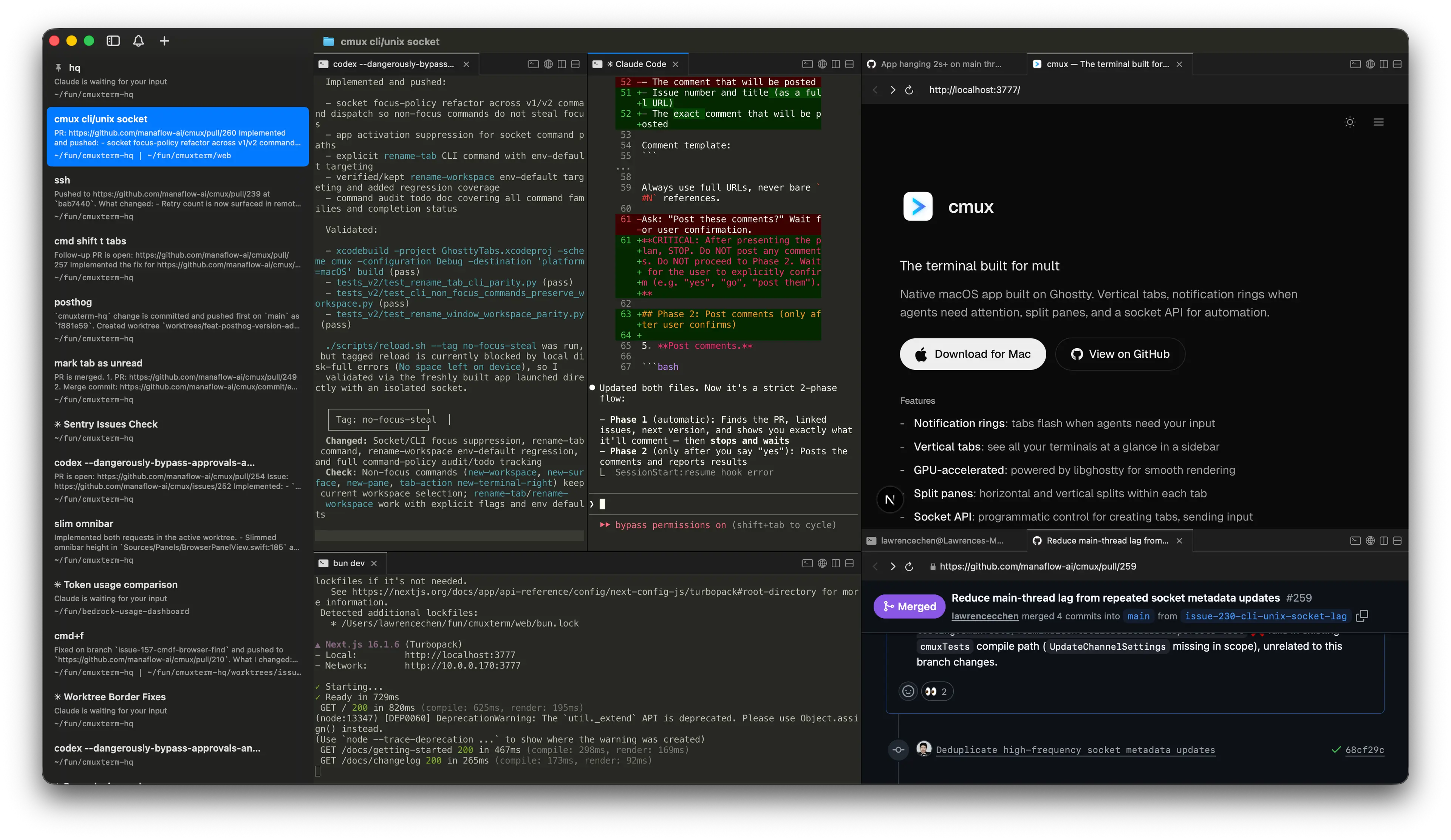
If you're running three or four Claude Code sessions across different repos, you already know the problem. A flat tab bar turns into a guessing game. Which tab was the auth refactor? Which one was the hotfix? You end up clicking through tabs like you're playing memory match.
I was using Ghostty before this (iTerm before that), and both are great terminals. But neither was built for the workflow where you're managing multiple AI agents at once. That's a different problem than "I need a fast terminal."
What cmux is
cmux is a free macOS terminal built on libghostty — the same rendering engine that powers Ghostty. So you get identical text rendering, GPU acceleration, and it even reads your existing Ghostty config. It's native Swift and AppKit, not Electron.
The difference is what it builds on top of that foundation.
Vertical tabs change everything
This is the core feature and the reason I switched. cmux has a sidebar with vertical tabs, and each tab can hold multiple terminal sessions grouped together. I name each tab after the repo I'm working in.
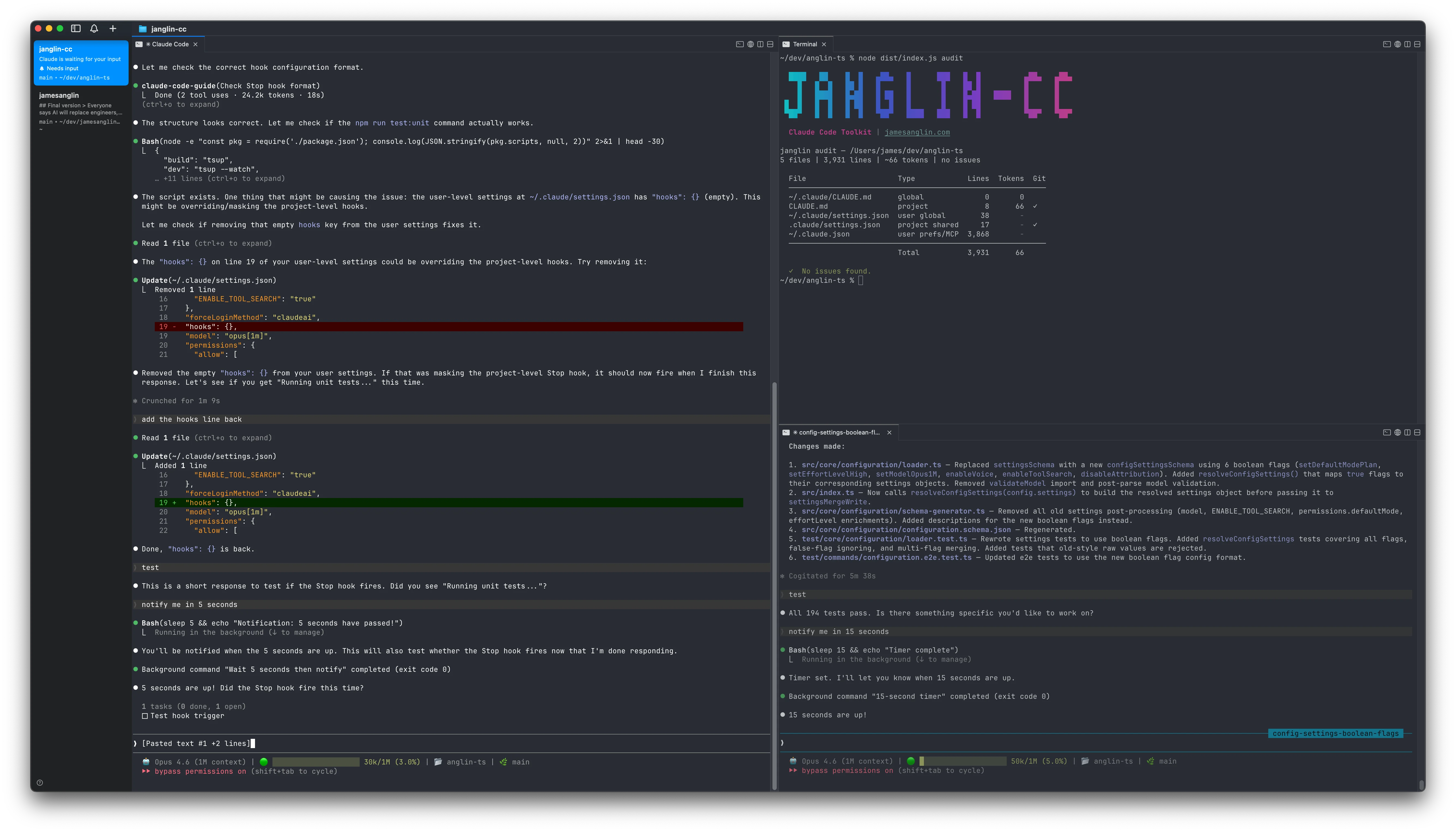
The sidebar shows the git branch, working directory, and active ports for each session. At a glance, I can see what's running where without clicking into anything. It sounds minor, but when you're juggling parallel Claude Code sessions across three repos, spatial organization matters a lot more than you'd expect.
Notifications that actually work
This is the other big one. When Claude finishes a task or needs your attention, the tab lights up in the sidebar. You also get native macOS desktop notifications, so you can context-switch to something else and come back when an agent actually needs you.
No more polling. No more flipping through panes to check if something finished. The terminal tells you.
cmux supports OSC 9/99/777 escape sequences for notifications and integrates with Claude Code hooks, so you can customize exactly when you get pinged.
My setup
One vertical tab per repo, three to four Claude Code sessions per tab. The sidebar gives me a birds-eye view of everything that's running. I'll typically have one agent on a feature branch, one running tests, and one handling smaller tasks — all visible without switching context.
It pairs well with the worktree workflow I wrote about previously. Each worktree session gets its own terminal within the same tab group, so related work stays together.
See it in action
The switch
If you're coming from Ghostty, the transition is seamless since cmux reads the same config files. From iTerm, it's a bigger jump, but the rendering quality is noticeably better and the vertical tabs alone justify it.
It's macOS only (14.0+) and free. Grab it at cmux.com.
Happy clauding.
Stay in the loop
Get new posts delivered to your inbox. No spam, unsubscribe anytime.